 CAPRAE
Inside the CRM
Follow one owner, from found to meeting.
Here's the path a single business takes through your CRM: the day our team finds it, the day its owner says yes, and the day you sit down together. Real screens, demo data.
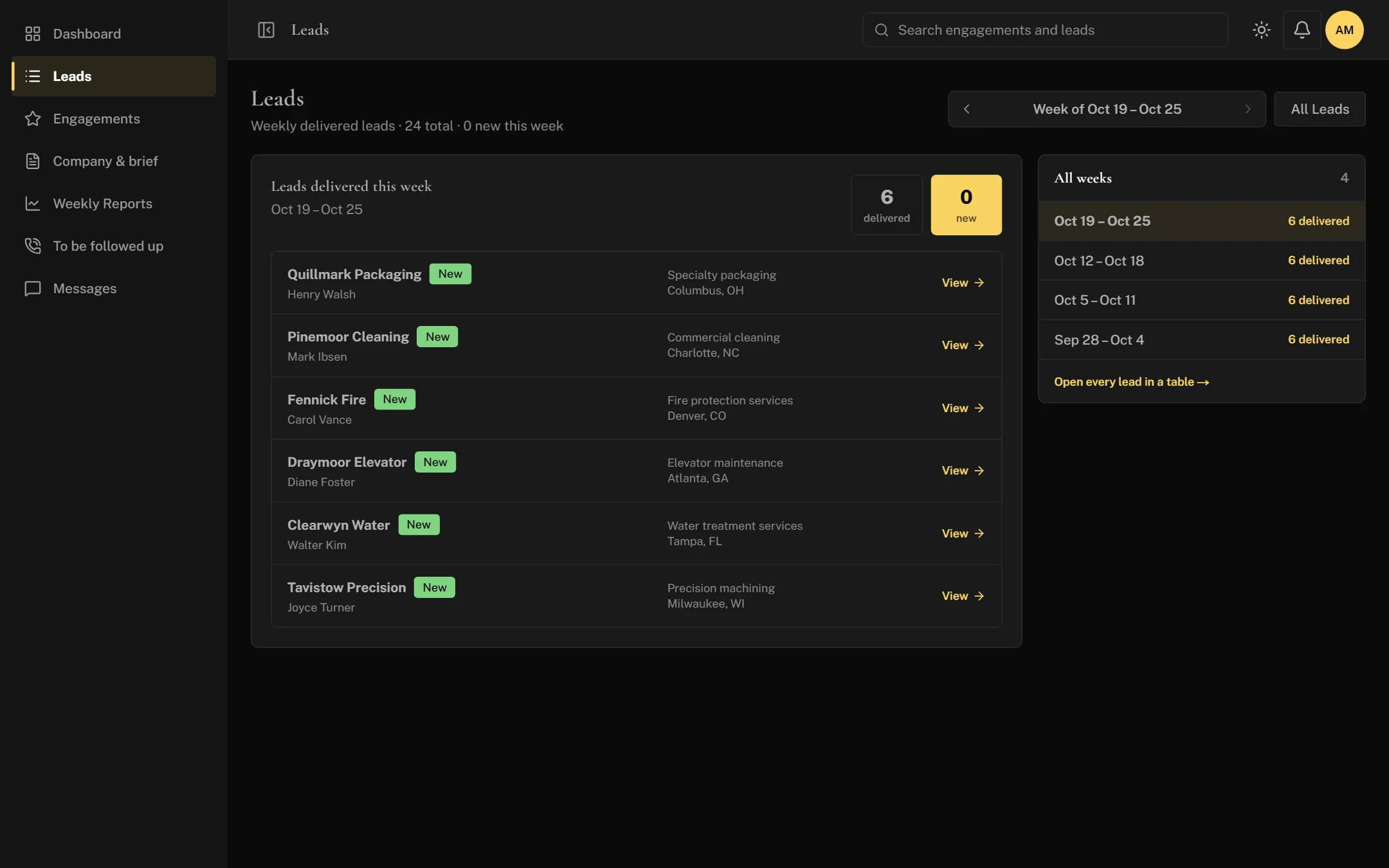
Monday · Found
A business that fits your brief appears
Our team finds Quillmark Packaging, a packaging business in Columbus with an owner nearing retirement. It's added to your list with the owner's name and contact details.
- Why it matters
- You can check, any day, that we're looking in the right places.
Tuesday · Reached
Our team calls the owner
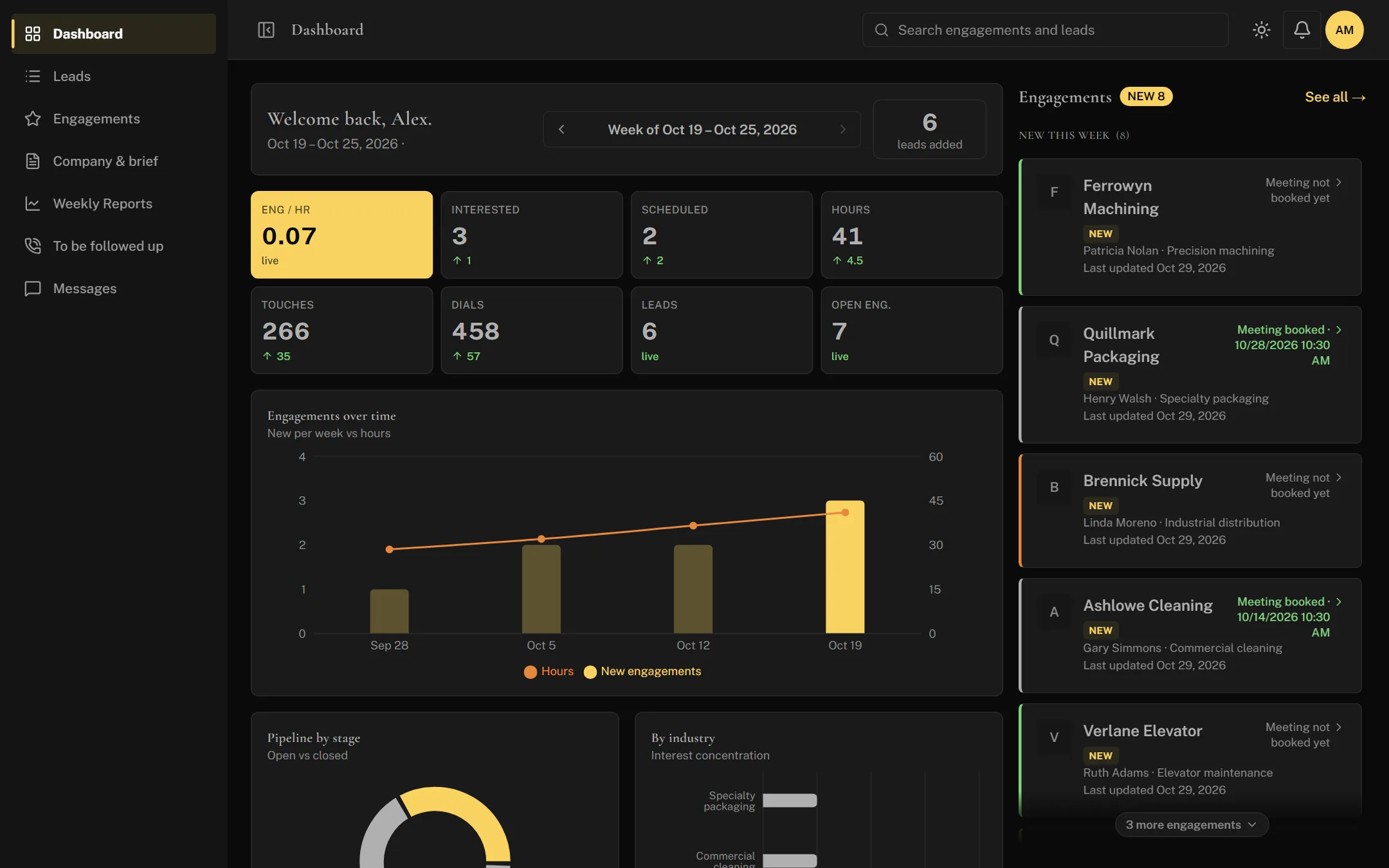
The first call goes to voicemail. The second one gets through. Each call is logged with who made it and what was said, and it counts towards this week's numbers.
- Why it matters
- You see the effort behind your search, not just the results.
Wednesday · Interested
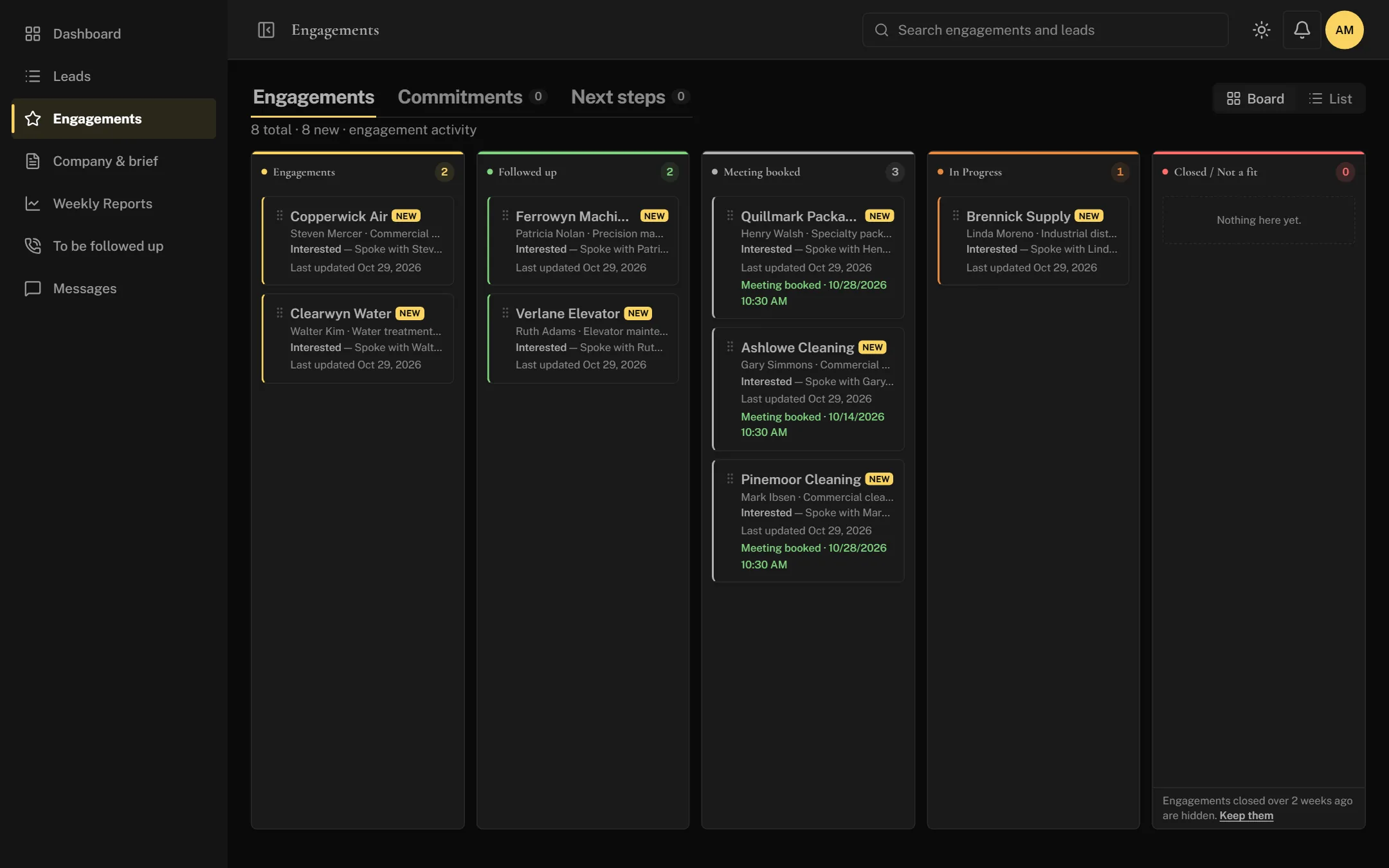
The owner says they'd talk
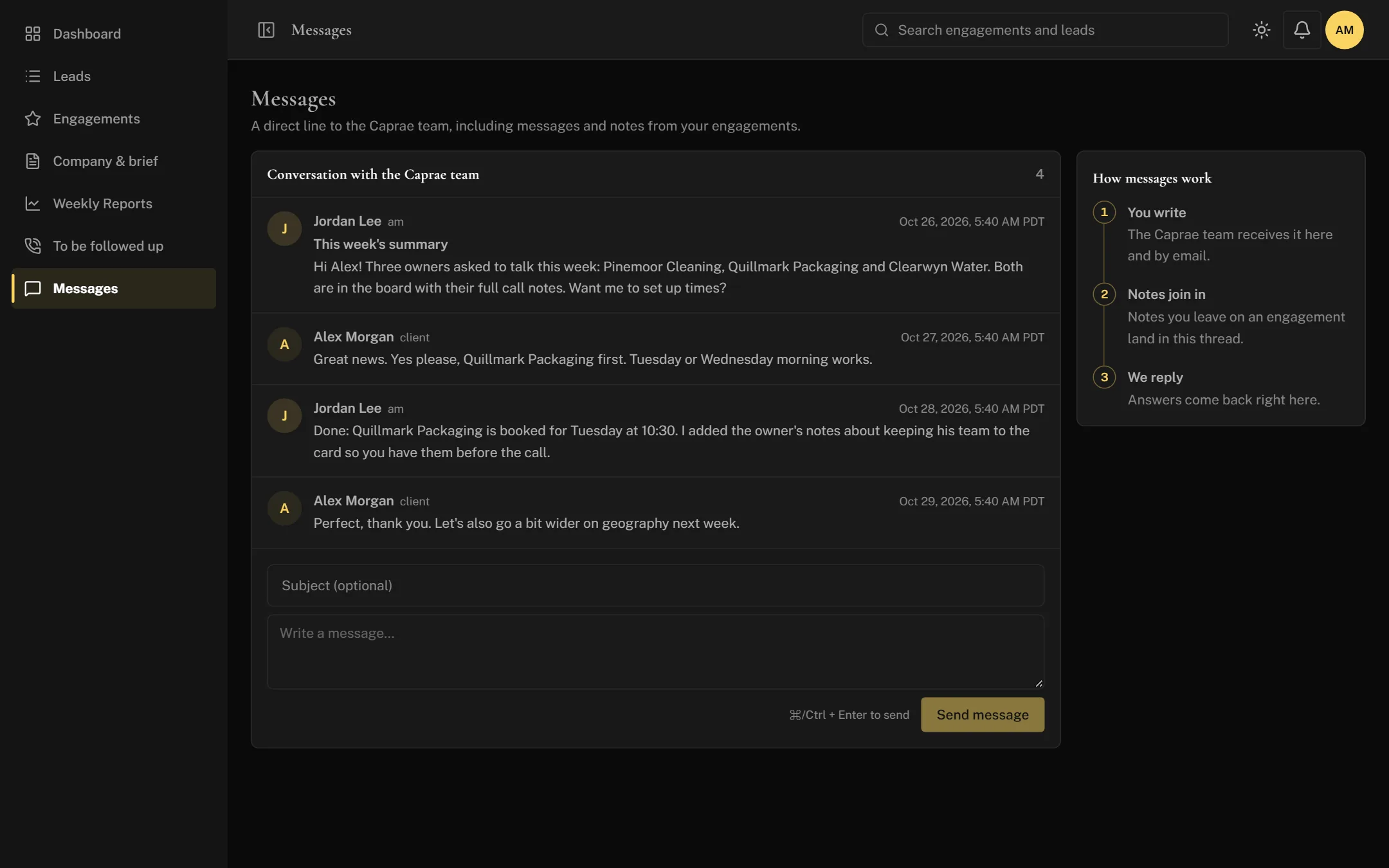
Quillmark Packaging moves onto your board of interested owners, and you get a note right away. Every owner who wants to talk sits here, from first hello to a booked meeting.
- Why it matters
- No interested owner gets lost in an inbox or a spreadsheet tab.
Wednesday · The whole story
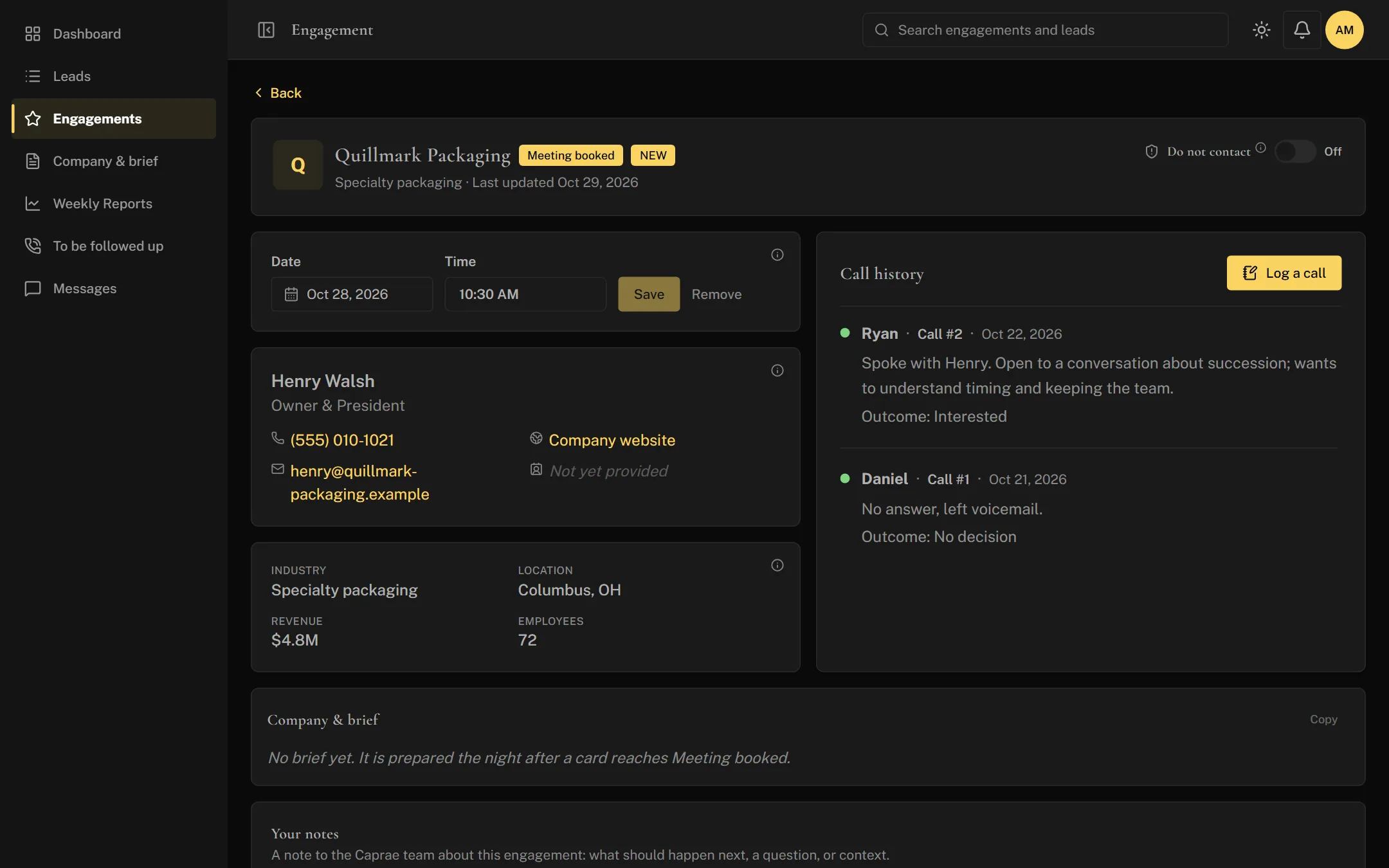
You read everything before you call
Open Quillmark Packaging: the owner's name and title, both calls with their notes ("open to a conversation about succession, wants to keep his team"), revenue, staff and location.
- Why it matters
- You walk into the first conversation knowing what the owner cares about.
Thursday · Meeting
The meeting is booked, and you're ready
Ask your account manager to set a time, or book it yourself. Owners you want to come back to go on your follow-up list, so nobody slips through.
- Why it matters
- Your time goes to meetings, not to chasing them.
End of week · Summed up
The week, on one page
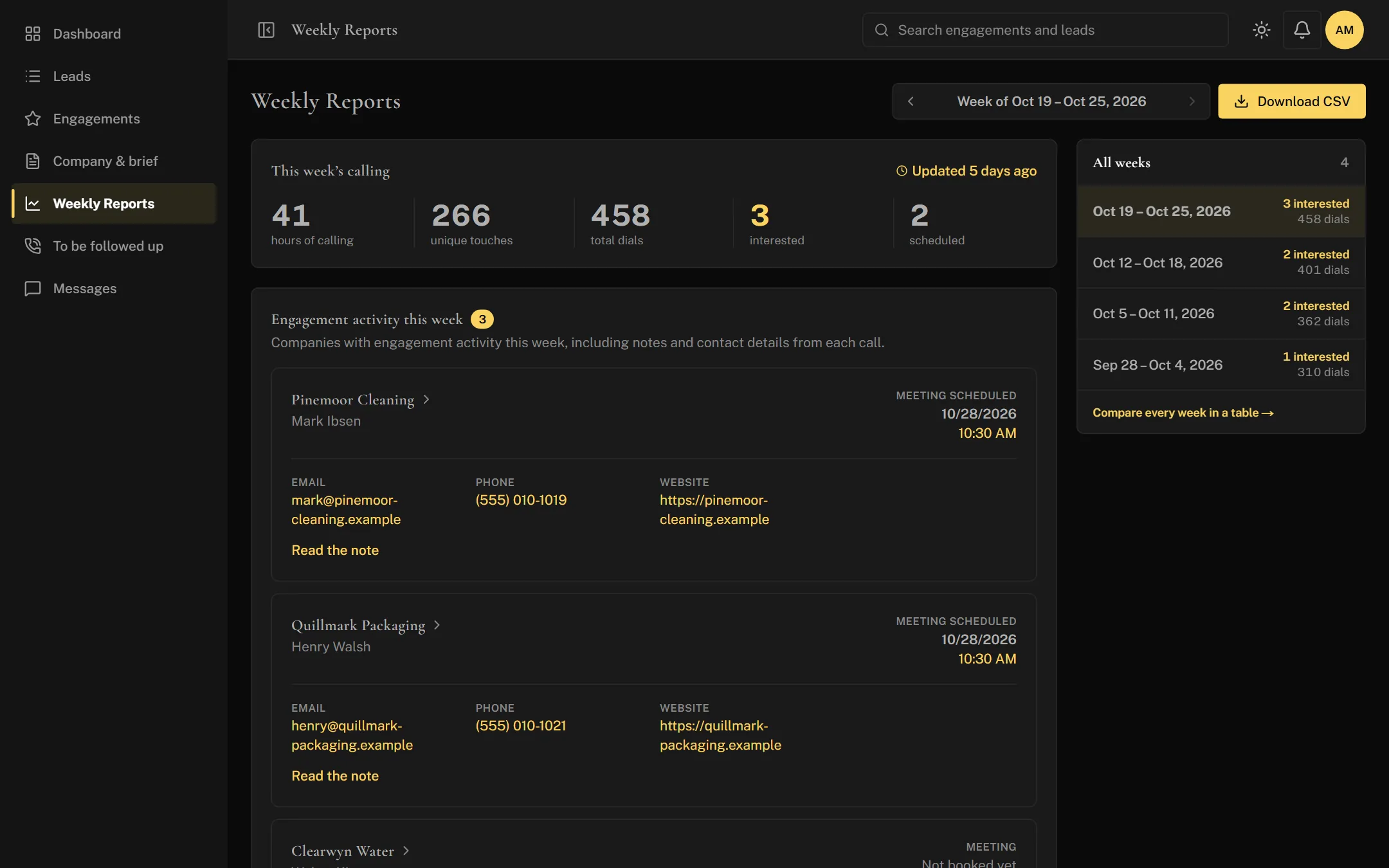
Your summary shows the week's numbers and every interested owner, including Quillmark Packaging and its meeting time. It's in your inbox and in the CRM, next to every week before it.
- Why it matters
- Forward it to your investors as it is, and tell us what to change for next week.
Next week · Sharper
And the search gets better
What you learned in the meeting goes back into your brief. Next Monday, the new businesses fit even better.
How it compares
Other CRMs start empty. Ours doesn't.
| Spreadsheet | Do-it-yourself CRM | Caprae CRM | |
|---|---|---|---|
| Time to set up | Hours, then upkeep forever | Days to weeks | None. Ready on day one. |
| Who fills it in | You | You | Our team, as they work |
| See what was done this week | Only if someone updates it | Only if you log it | Always, at a glance |
| Know when an owner is interested | When someone tells you | When you find out | The moment it happens |
| A summary for your investors | You make it | You build a report | Every week, in your inbox |
| Someone to ask | — | A help desk | Your own account manager |
Want the guided version?
We'll walk you through it, with a search like yours.